System Settings
The top right settings button provides global controls and settings that apply to all the platform.s
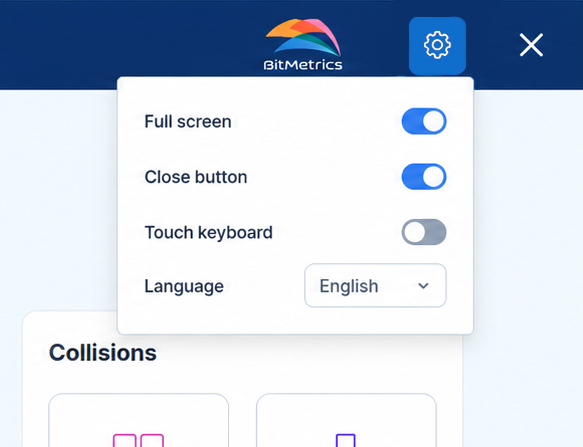
Full Screen
Toggles full screen mode for the Pick[+] interface. When enabled, the application takes up the entire display and hides the operating system's window frame, title bar and taskbar.
Close Button
Toggles the visibility of the window close button in the top right corner of the interface.
When hidden, operators cannot close Pick[+] from the interface. This is useful in deployments where the PC is dedicated exclusively to Pick[+] and operators should not be able to exit the application or reach other parts of the operating system.
Touch Keyboard
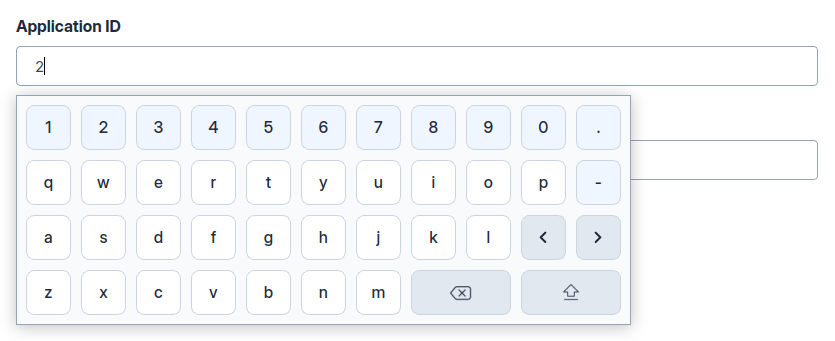
Toggles the on-screen keyboard for touchscreen devices. When enabled, the keyboard automatically appears whenever text input is required.
Language
The language selector allows you to change the interface language. Pick[+] currently supports:
 English
 Spanish
 Catalan