URScript Module
The Pick[+] URScript module communicates with the Pick[+] server over a TCP socket connection. The robot initiates the connection outbound to the Pick[+] PC, no inbound configuration is needed on the robot side.
Robot Configuration
Before using these functions, make sure your robot is properly configured as described in Universal Robots Configuration. Set SERVER_IP and SERVER_PORT at the start of your program before calling any Pick[+] functions.
Installation
The Pick[+] module is a plain URScript file that must be loaded into your robot program. This is the first step to build the robot program for your application. Follow the instructions for your Polyscope version below.
-
Access the Polyscope interface on the teach pendant and navigate to the Program tab.
-
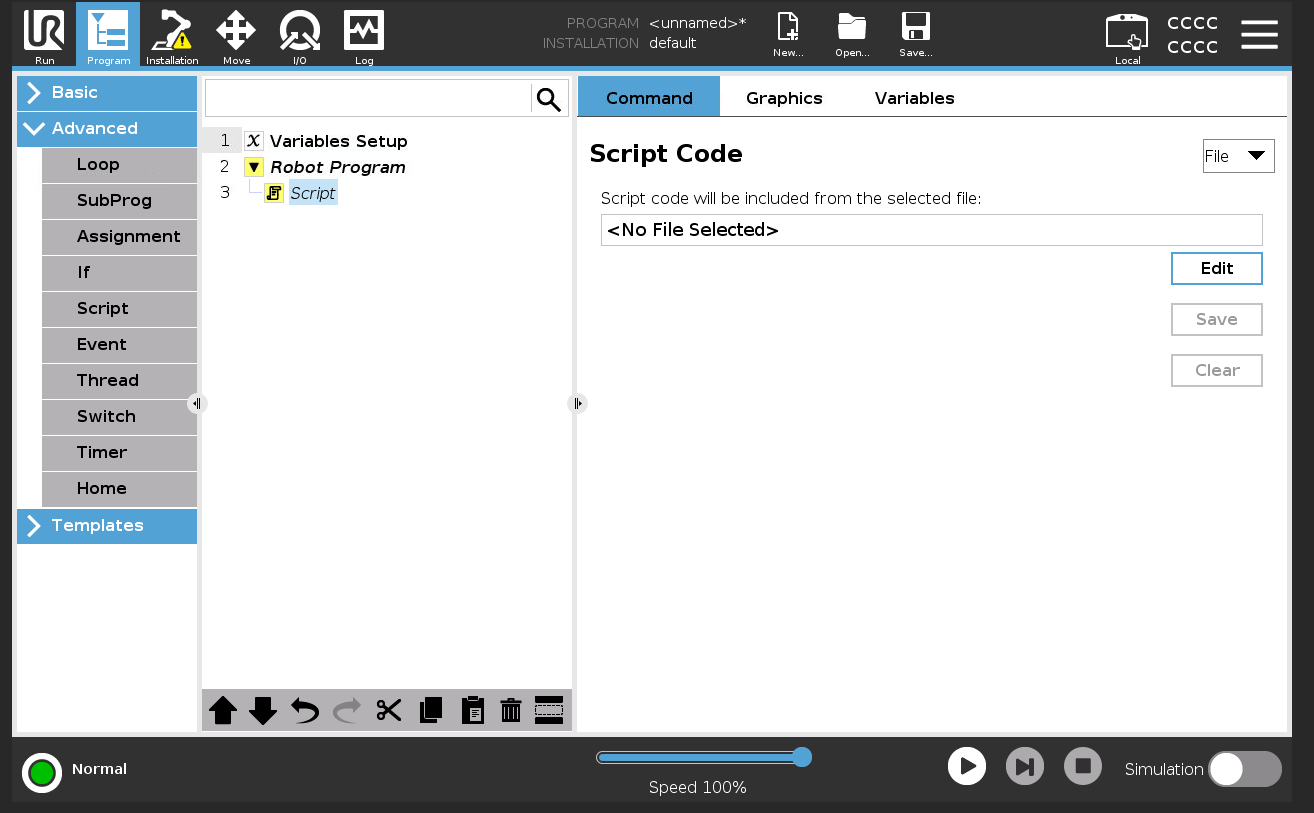
Go to the Advanced section of commands and insert a Script node into the program. Look for the File option and click Edit.
-
Insert the
pickplus.scriptfile. Once loaded, all Pick[+] functions will be available throughout your program.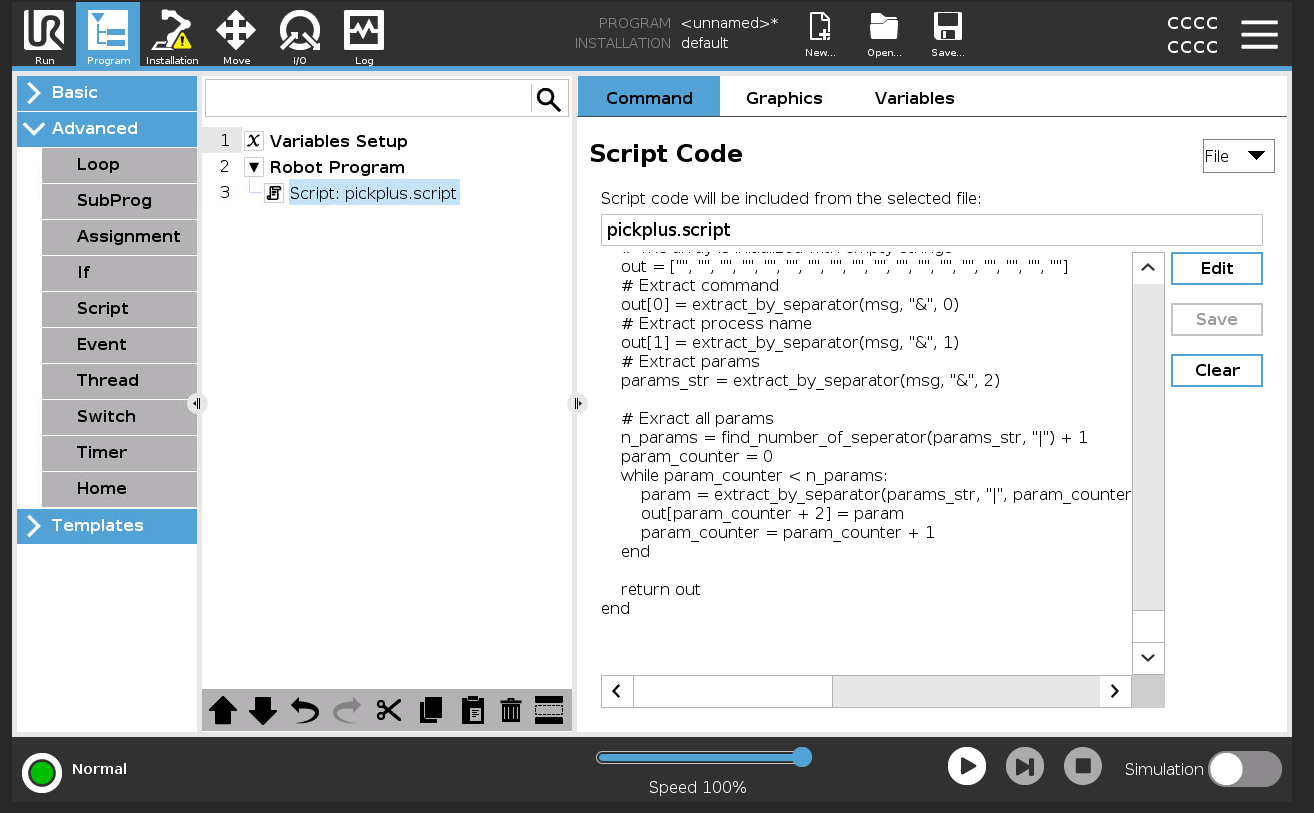
Version
Requires PolyScope X 10.14.0 and above.
-
Open Polyscope X on the teach pendant and navigate to the Programs tab.
-
Click on the program name at the top. This opens the System Manager. Click on Script Files and add the
pickplus.scriptfile.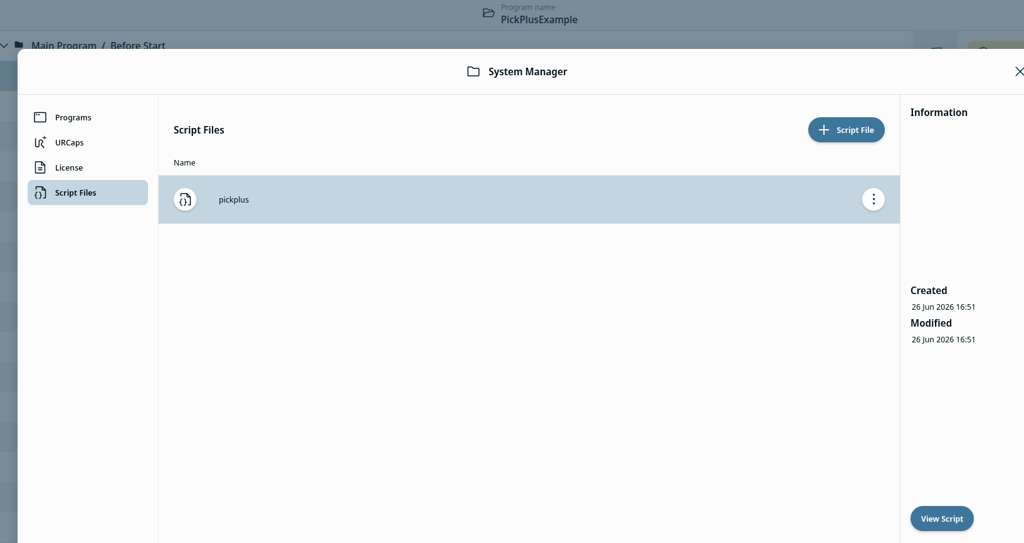
-
After closing the System Manager, go to the Before Start section and load a Script module. Click Set Script and choose the
pickplus.scriptfile inserted previously. Once loaded, all Pick[+] functions will be available throughout your program.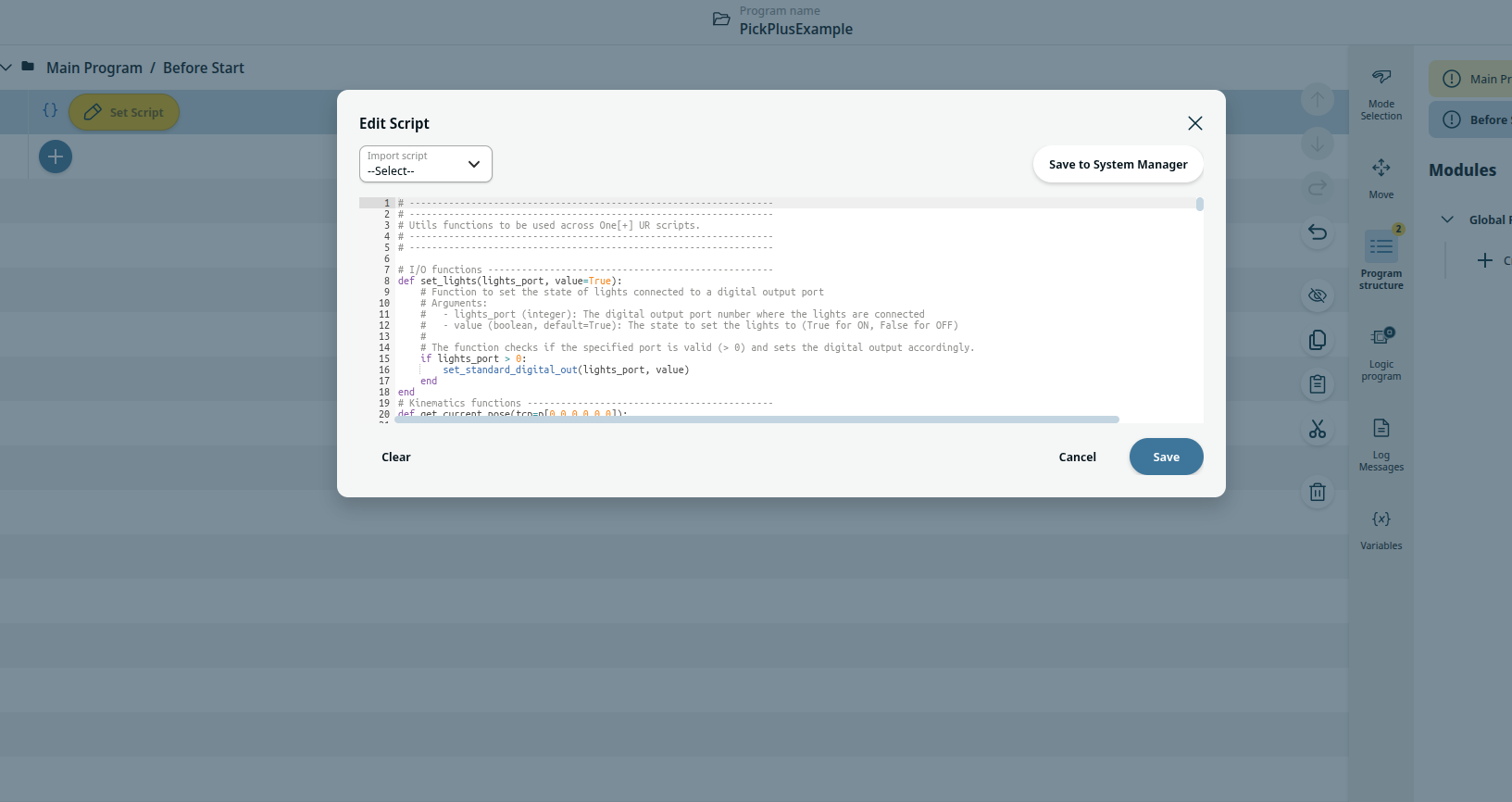
Functions
For the global variables updated by these functions, see the Global Variables Reference.
Process name format
The process_name must always follow the format b0_<application>, where <application> is the application name configured in Pick[+]. For example, an application named bin_picking uses b0_bin_picking.
pick_plus_process_status
Checks the current execution mode of the Pick[+] process. Updates the PP_ROUTINE and PP_ERROR global variables. Use this to verify the system is ready before triggering.
Returns: True if the process is in execution mode (PP_ROUTINE == 2) with no error (PP_ERROR == 0); otherwise False.
| Parameter | Type | Default | Description |
|---|---|---|---|
process_name |
string | "b0_pickplus" |
The process ID associated with your Pick[+] application |
pick_plus_trigger
Instructs the Pick[+] server to capture an image and initiate pick candidate detection. The current TCP pose is automatically read and included in the trigger message.
Returns: Nothing. Errors are logged via PP_ERROR.
| Parameter | Type | Default | Description |
|---|---|---|---|
process_name |
string | "b0_pickplus" |
The process ID associated with your Pick[+] application |
pick_plus_config_trigger
A highly customizable trigger that filters detections by category, environment, model ID, and picking angle. Use this instead of pick_plus_trigger when filtering is required.
Returns: Nothing. Errors are logged via PP_ERROR.
| Parameter | Type | Default | Description |
|---|---|---|---|
process_name |
string | "b0_pickplus" |
The process ID associated with your Pick[+] application |
categories |
list | [] |
Category names to include or exclude |
categories_subtract |
bool | True |
If True, listed categories are excluded. If False, only listed categories are searched |
environments |
list | [] |
Bins Names to restrict the pick region to |
environments_subtract |
bool | True |
If True, listed Bins Names are excluded. If False, only listed Bins Names are searched |
models_ids |
list | [] |
Model IDs to include or exclude |
models_id_subtract |
bool | True |
If True, listed model IDs are excluded. If False, only listed model IDs are searched |
max_angle |
float | 15 |
Maximum picking angle in degrees. Candidates exceeding this angle are disregarded |
Each list works together with its _subtract flag: the list says which items the flag applies to, and the flag says whether that list is the set to search or the set to skip.
environments = ["bin_left"]
environments_subtract = False   # search only bin_left

environments = ["bin_left"]
environments_subtract = True    # search every bin except bin_left
Leaving a list empty
An empty list with its flag set to True (the default) excludes nothing, so no filter is applied and everything is searched. For environments this means all the bins of the selected scene. The opposite combination, an empty list with the flag set to False, means "search only the listed items" with nothing listed.
pick_plus_output
Requests the picking pose from the Pick[+] server. Updates PP_FOUND, PP_POSE, PP_CATEGORY, PP_MODEL, and PP_PICK_ID. Call this in a loop while PP_FINDING is True.
Returns: Nothing directly. Results are written to the global variables.
| Parameter | Type | Default | Description |
|---|---|---|---|
process_name |
string | "b0_pickplus" |
The process ID associated with your Pick[+] application |
retry_object |
bool | False |
If True, requests the same instance as the previous pick |
timeout |
float | 5 |
Response timeout in seconds |
Example Program
The example below shows how to integrate the Pick[+] functions into a standard pick-and-place loop. It is also provided by BitMetrics with the Pick[+] URScript module.
Before running
Make sure all move poses in the example are valid for your use case before executing it.
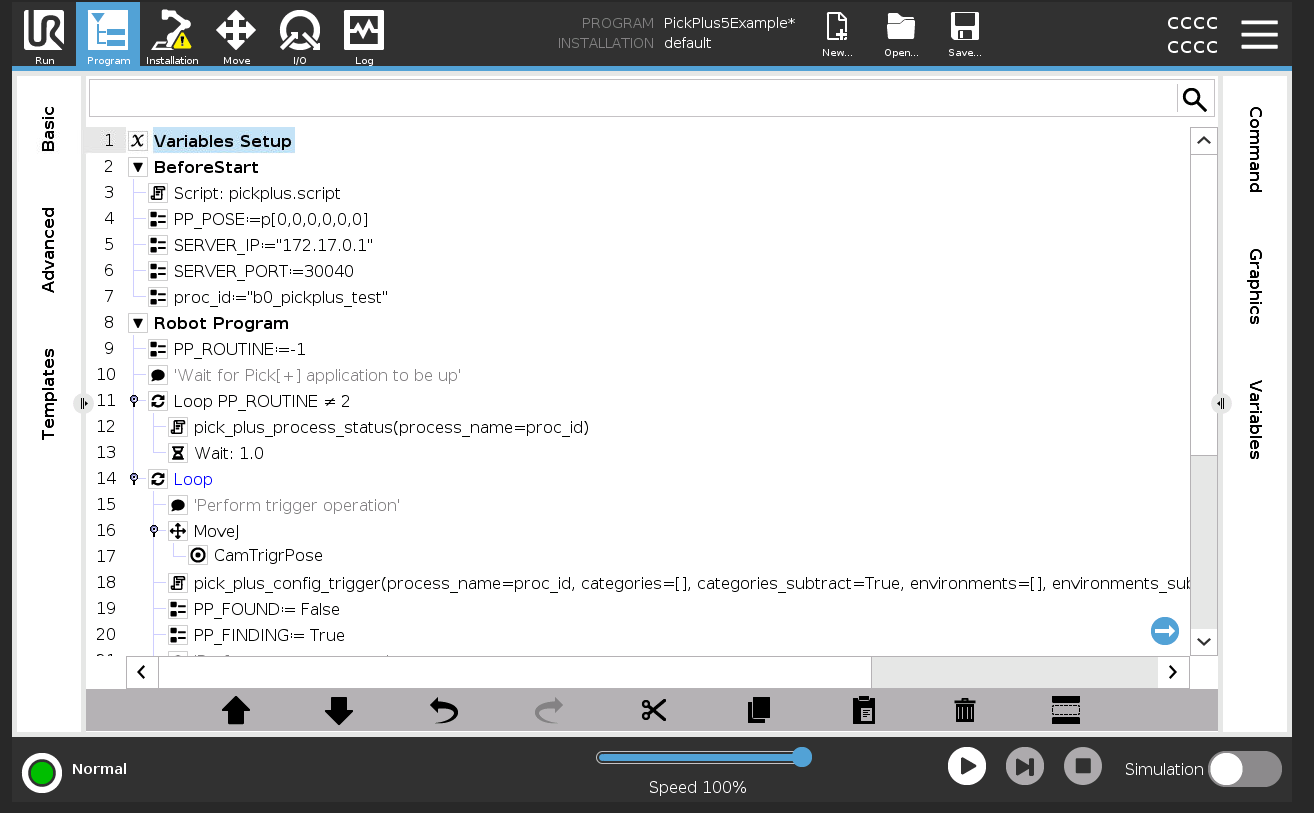
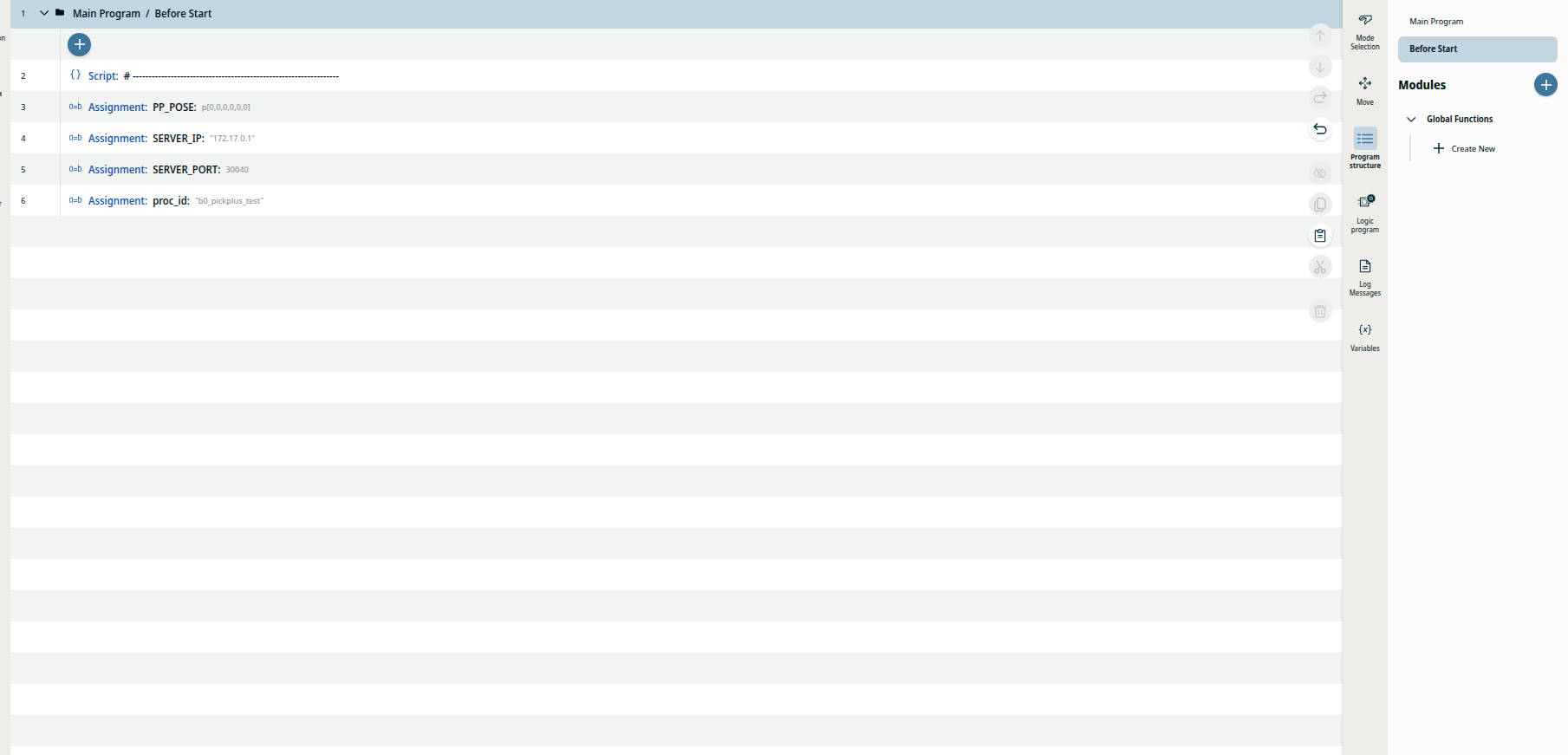
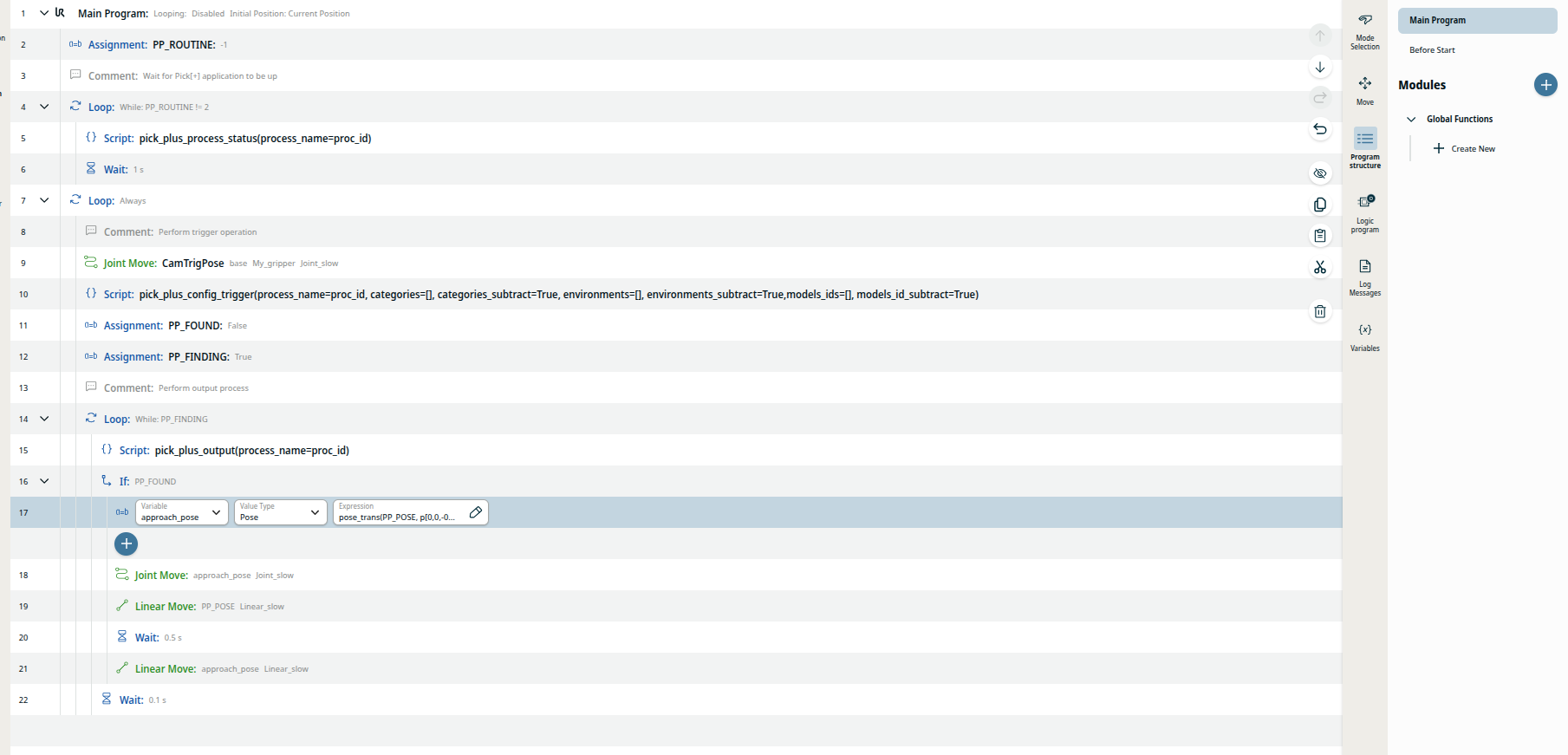
The example is split into two parts: a Before Start section that runs once when the program starts, and a Robot Program that loops continuously. The logic is the same on both PolyScope versions, only the way the module is loaded differs.
1. Before Start
This section prepares the connection to Pick[+]. It runs a single time before the main loop begins.
- Load the module: the
pickplus.scriptfile is inserted first, so all Pick[+] functions are available in the rest of the program. PP_POSE := p[0,0,0,0,0,0]: initializes the pose variable that will later hold the pick target.SERVER_IPandSERVER_PORT: the IP and port of the Pick[+] server (for example30040). The robot uses these to open the TCP connection.proc_id := "b0_pickplus_test": the process ID of your application, following theb0_<application>format. It is stored in a variable so every function call can reuse it.
2. Wait for the application to be ready
Before triggering, the program waits until the Pick[+] application is running in Execution Mode.
PP_ROUTINEis reset to-1(unknown).- A loop calls
pick_plus_process_status(process_name=proc_id)every second untilPP_ROUTINEreaches2(execution mode). This prevents the robot from sending requests before Pick[+] is ready.
3. Trigger a detection
Inside the main loop, the robot requests a new detection.
MoveJtoCamTrigrPose: moves the robot to the position where the camera captures the scene. The current pose is sent automatically with the trigger.pick_plus_config_trigger(process_name=proc_id, ...): asks Pick[+] to capture an image and compute pick candidates, applying the filters (categories, environments, models,max_angle). Usepick_plus_triggerinstead if no filtering is needed.PP_FOUND := FalseandPP_FINDING := True: reset the result flags before polling for a result.
4. Retrieve the pick result
While PP_FINDING is True, the program polls the server for a candidate.
pick_plus_output(process_name=proc_id)is called in a loop. When a result arrives it updatesPP_FOUND,PP_POSE,PP_CATEGORY,PP_MODEL, andPP_PICK_ID, and setsPP_FINDINGtoFalseto exit the loop.
5. Execute the pick
When PP_FOUND is True, the program moves onto the returned pose using a safe approach-and-retreat around the pick.
approach_pose := pose_trans(PP_POSE, p[0,0,-0.1,0,0,0]): builds an approach pose offset 100 mm fromPP_POSEalong the pose's own Z axis (its approach direction). Because the offset is applied relative toPP_POSE, it stays aligned with the object whatever its orientation.MoveJtoapproach_pose: a fast joint move that positions the tool just clear of the object, ready to descend.MoveLtoPP_POSE: a straight-line move down onto the pick target.Wait: 0.5: a short dwell where you actuate the gripper to grasp the object (close the gripper, activate suction, etc.).MoveLback toapproach_pose: retreats in a straight line, lifting the object clear of the bin.Wait: 0.1: a brief pause before the cycle continues. This is where you would add the moves to your place position.
If PP_FOUND is False, or PP_FAULT is set, the pick block is skipped and a new cycle begins. Any communication error code is available in PP_ERROR.
The loop then repeats from step 3 to pick the next object.