Logs and alarms
Logs
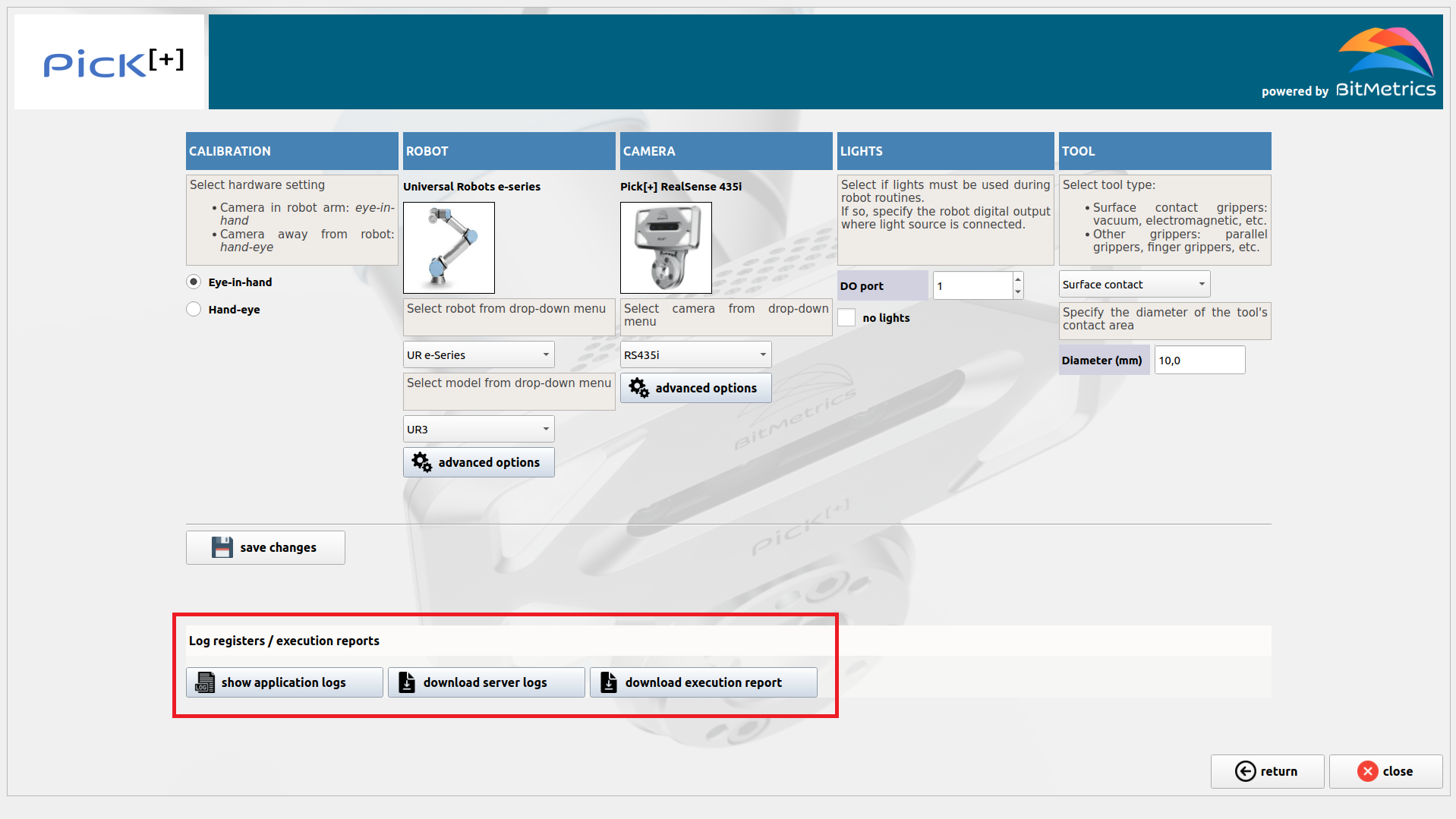
In the event of errors or unexpected outcomes logs should be checked. We have access to both Pick[+] server and Pick[+] client logs.
To access logs click on Settings Manager. We can visualize Pick[+] client application logs by clicking on Show application logs and a pop-up with the most recent logs will be displayed.
We can also download Pick[+] server logs by clicking on Download server logs. A file named pickplus_server.log will be downloaded and stored in the local downloads folder.
An execution report with data regarding the last execution iteration can also be downloaded by clicking on Download execution report. A folder named exec_report.zip will be downloaded and stored in the local downloads folder.
Alarms
In the face of an unexpected outcome the client application generally shows an alarm pop-up:
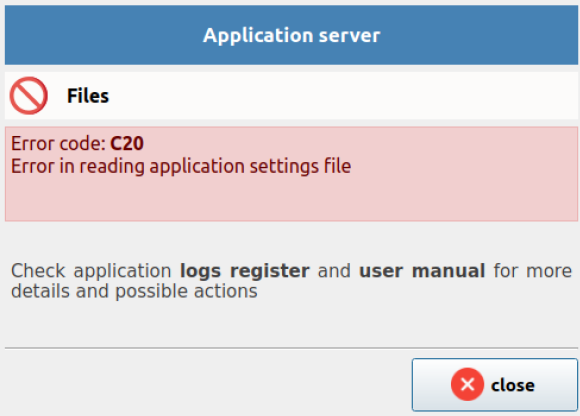
The alarm pop-up has the following components:
- Heading. The heading (or main title) indicates the general origin or main functionality affected by the error or warning.
- Title. The title briefly states the specific origin of the error or warning.
- Code. Alarm code (more on it below).
- Message. Error raised and explanation of it (when necessary).
Alarm types
First coordinate of the alarm code. By error / warning level.
- Warning (W). Action by the user required. Incidence that does not affect the functioning of the solution. The user can continue using the solution.
- Error (E). Action by the user required. Incidence that generally needs fixing but that does not require closing the application.
- Critical (C). Action by the user required. Application is closed since, in order to make it work, exit and restart after fixing the problem is necessary. Second coordinate of the alarm code. By origin.
- Unknown (0). Unknown / undefined origin.
- Communications (1). Communications error between any nodes of the solution.
- Server (2). Errors with origin in server.
- Data (3). Errors with origin in the data repository.
- Client (4). Errors derived from the client application.
- Execution (5). Errors / warnings during execution. Third coordinate of the alarm code. By object type.
- File (0). Error / warning caused by problems with a particular file.
- Installation (1). Error / warning caused by problems in installation. To gather more information on the cause of the alarm server and client log records need to be checked (see Logs section).