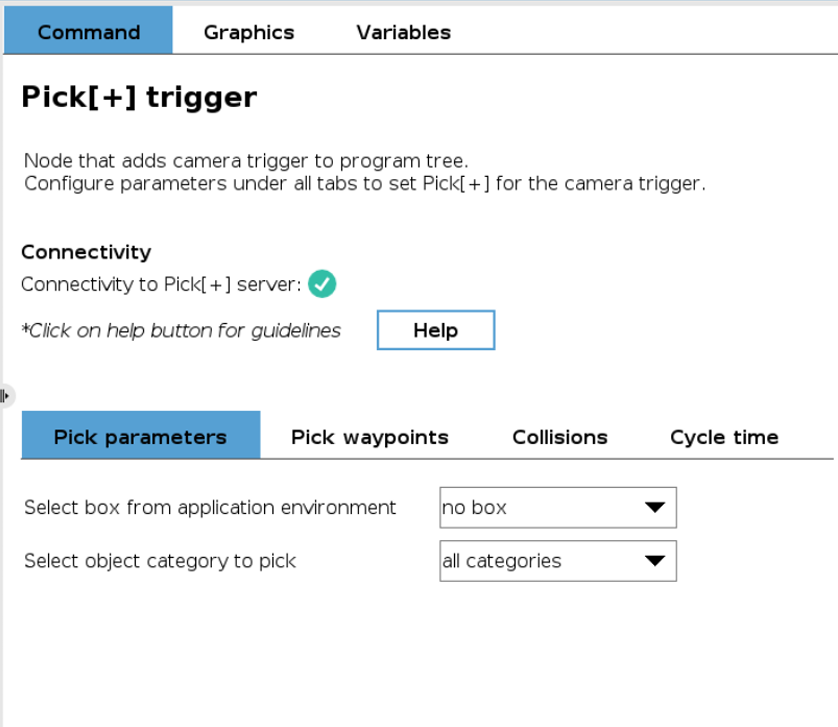
Pick[+] Trigger
Upon activation, the Pick[+] trigger node instructs the Pick[+] server to capture a scene image (camera trigger) and initiate the pick candidate detection process.
Configuration Parameters
To ensure effective image capture and pick candidate selection, the following parameter sets must be configured:
- Pick Parameters: To configure the detection (category of the object to pick and environment box)
- Pick Waypoints: Specify robot waypoints for the picking trajectory.
- Collisions: Enable/disable collision checking.
- Cycle Time: Configure cycle time measuring.
Server Connection Required
To configure certain parameters of the Pick[+] trigger node (e.g., pick category, environment box), an active connection to the Pick[+] server in execution mode is required. This means the robot must be connected to the Pick[+] server, and a Pick[+] application must be running. If the connection is not established, the node will display an error message indicating the configuration failure.
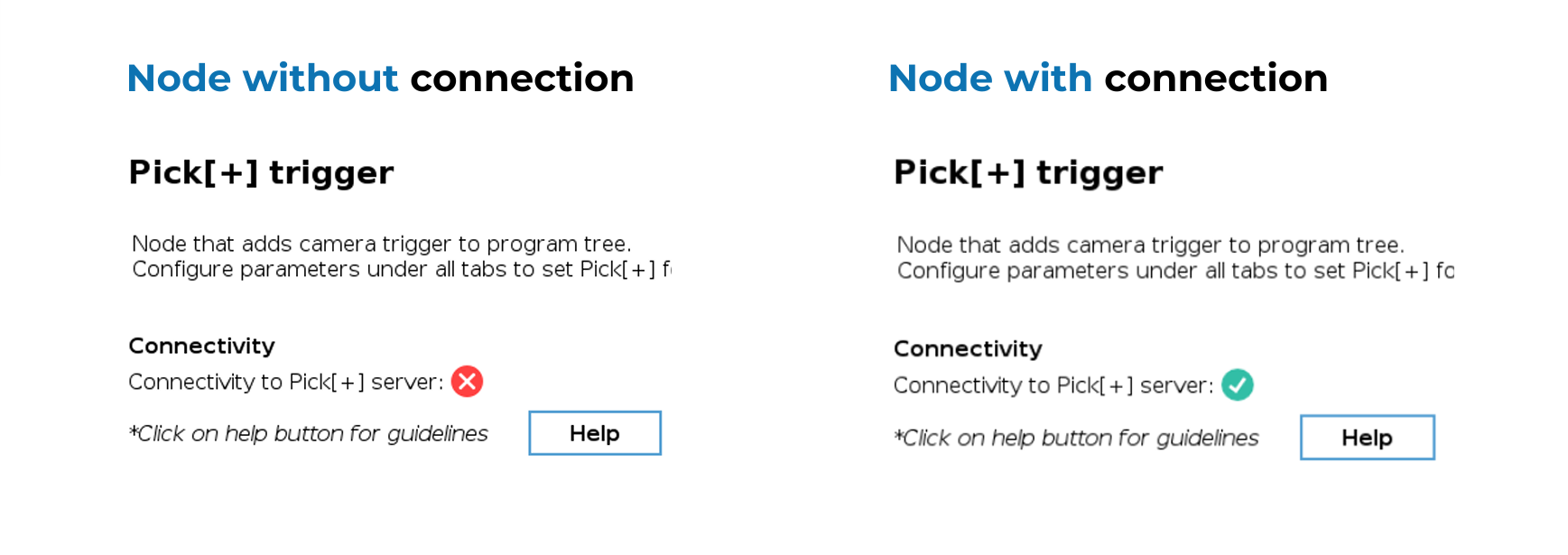
If you're experiencing connection issues, verify that all IP addresses are correctly configured. See IP Configuration for the complete setup guide.
Pick Parameters
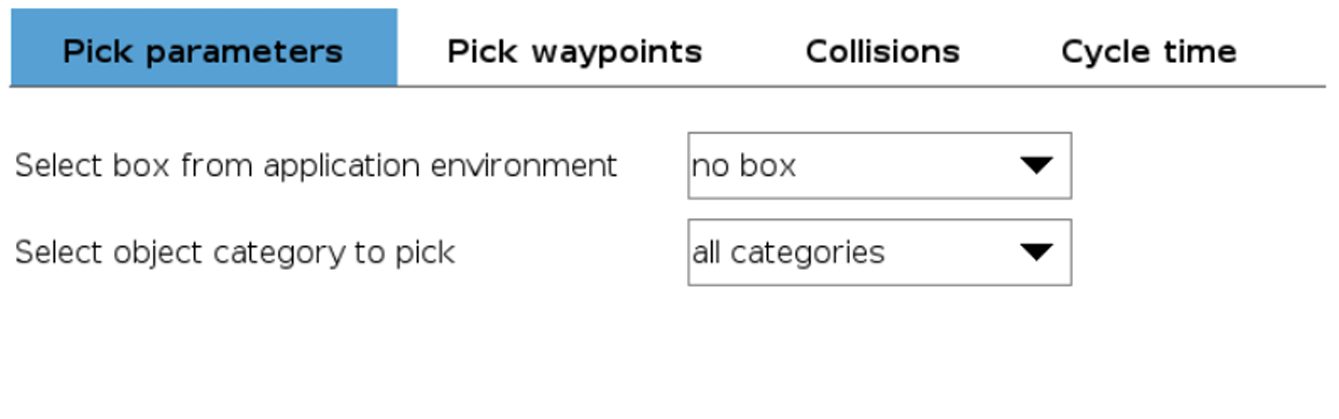
The configuration of pick parameters involves two elements:
Environment Box
This parameter references the environment box from the currently active pick environment for the Pick[+] application. By default, the field is set to no box.
The selected box will be used to filter out any detections outside its region, which can be useful to filter out undesired detections in cluttered environments. If no box is selected, this filtering step is not executed.
Additionally, the selected box will be used to compute the pick angle. This angle is measured between the TCP's z-axis and the normal (perpendicular direction) of the box's base. Any candidate with an angle greater than the angle threshold (set in the Pick[+] template node) will be disregarded. If no box is selected, angle will be computed with respect to the default case:
- For eye-in-hand configuration, the robot XY plane will be used as the reference working surface.
- For hand-eye configuration, the pick angle will be computed with respect to the z-axis of the camera.
WARNING
Users can choose to use this feature freely, but it is highly recommended to define and use a box.
Pick Category
This parameter specifies the category of interest from the set defined within the Pick[+] application. The field defaults to 'all categories', meaning all defined positive categories are considered eligible candidates for the trigger action.
ATTENTION
The boxes and categories available in the current environment and application are updated once the Trigger node is opened. Therefore, if a different environment or application is set and the same robot program is used, it is necessary to open the Trigger node to ensure that the specified box and category exist in the current environment and application.
Pick Waypoints
The configuration of pick waypoints involves two elements:
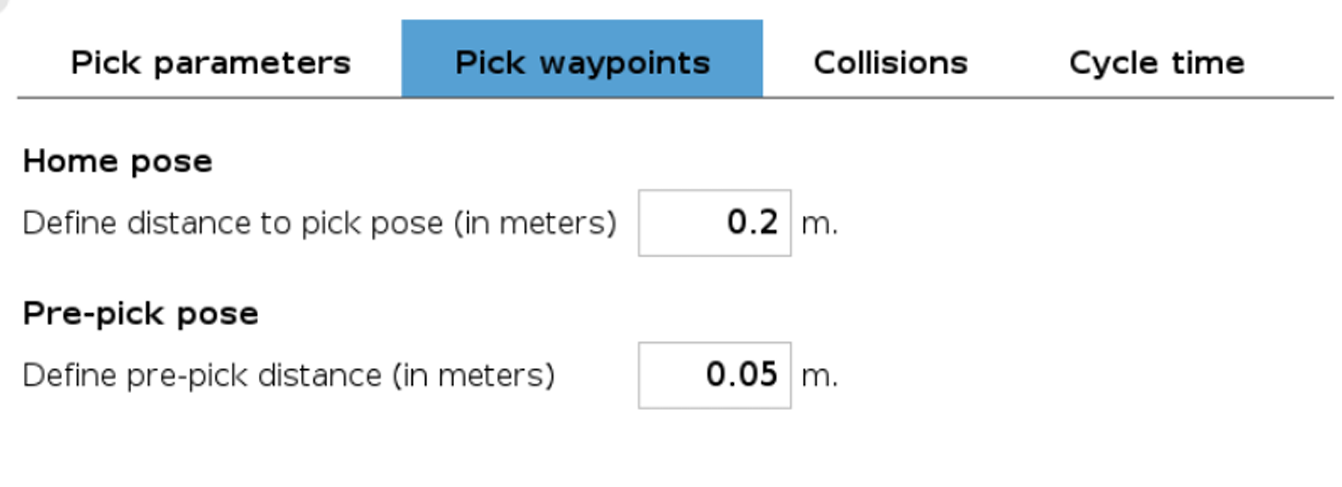
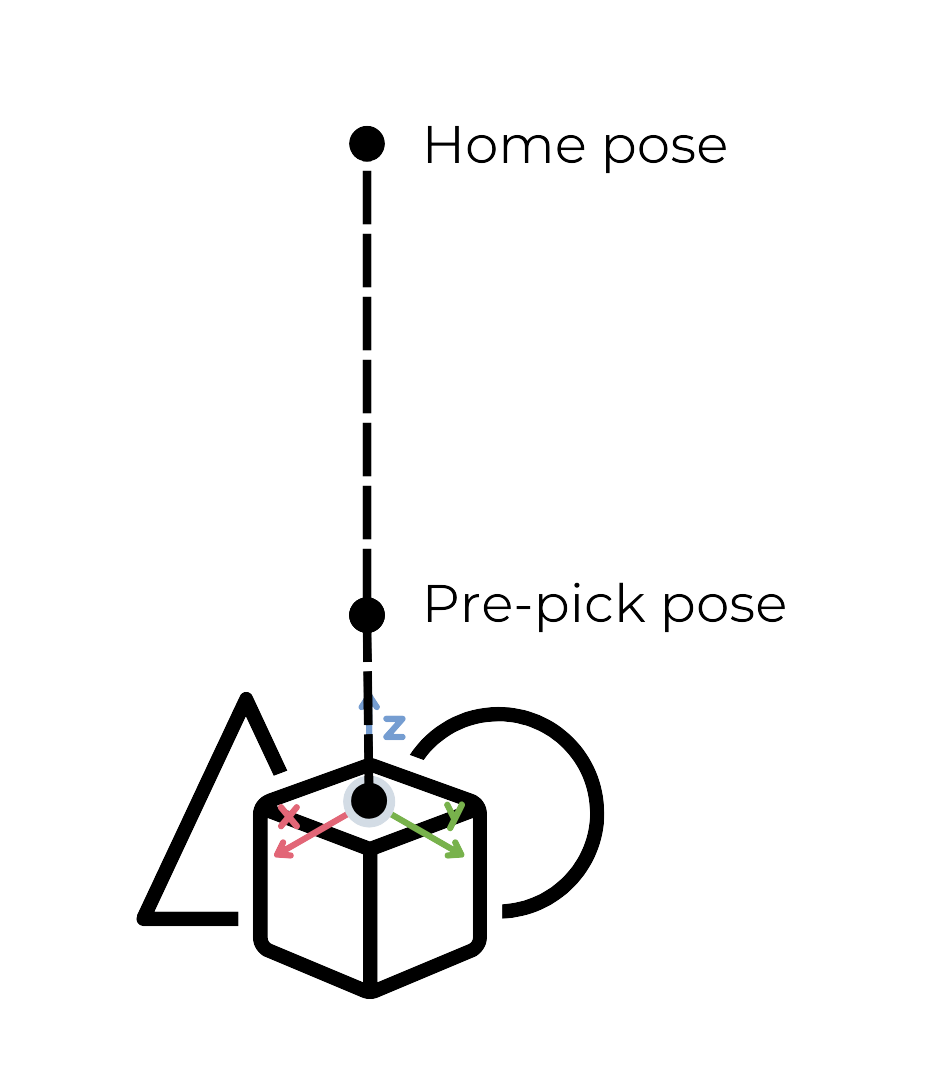
Home Pose
Serves as the starting point for the robot's pick action or trajectory. The home waypoint is automatically set and it's computed from the received pick point and the user-specified offset.
The home pose is obtained by translating the user-specified distance (in meters) away from the picking pose, in the negative direction of the pick point z-axis.
Pre-pick Pose
The pre-pick pose is a position slightly offset from the pick point, defined by a user-provided offset, similar to the home pose.
Tip
When using a variable TCP gripper without autocompensation, the gripping action should start from the pre-pick pose to ensure proper alignment. In these cases, the pre-pick pose should be configured with the same distance that the TCP moves when actuating.
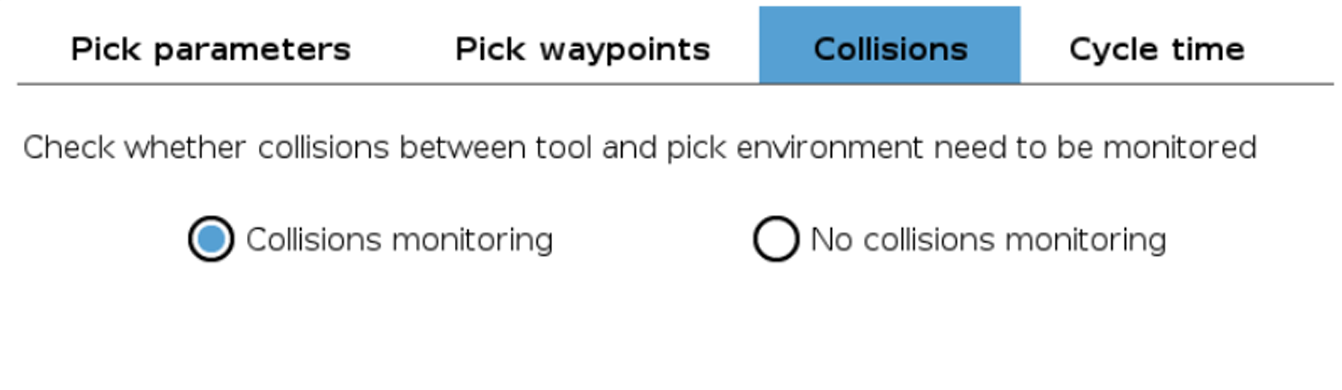
Collisions
This tab allows to enable/disable the collision analysis of the pick points. The decision to perform the analysis is contingent upon the specific requirements of the application:
- For applications operating in a 2D environment, collision analysis may be deemed unnecessary. Omitting this analysis can result in a slight reduction of the cycle time.
- Conversely, in a 3D environment, conducting collision analysis is crucial to ensure the safety and efficacy of the robot's trajectory and actions.
WARNING
While users retain the autonomy to activate or deactivate collision analysis, it is strongly recommended to enable this feature.
Cycle Time
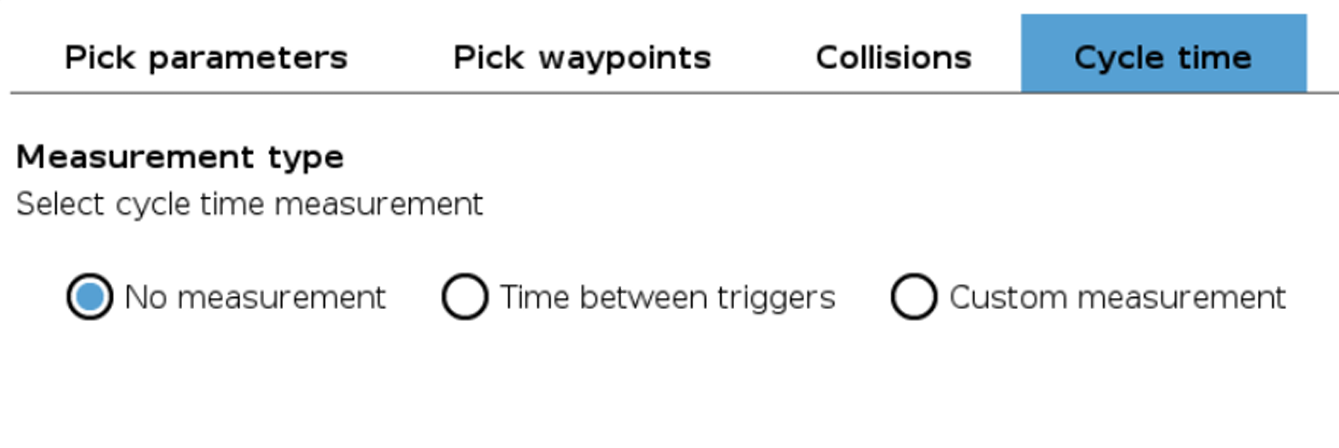
The cycle time measurement can be approached in three distinct ways, depending on the requirements of the application:
- No measurement: In this mode, no cycle time measurement is conducted.
- Time between triggers: Cycle time is automatically calculated based on the duration between two successive calls of a Pick[+] trigger node.
- Custom measurement: Cycle time is measured using the Pick[+] cycle timer node, allowing for a custom measurement of cycle time. Refer to the Pick[+] cycle timer node section for more information.
If cycle time measurement is selected, the user will be able to set a threshold value. Surpassing this threshold will not cause any exception, but will be reflected on the value of the global variable PP_error (refer to the Global variables section). The current and average cycle time will be displayed on the Pick[+] client.