Pick[+] Template
Functionality
This node has two main functionalities. First, it requests to the Pick[+] server the next pick candidate. Second, it generates a template for the robot pick program, including:
- Movement to the home pose (approximation pose).
- Movement to the pre-pick pose
- Movement to the pick pose
- Movement to the pick deeper pose
ATTENTION
To be able to add a Pick[+] template node to the program, at least one Pick[+] trigger node must be present as well.
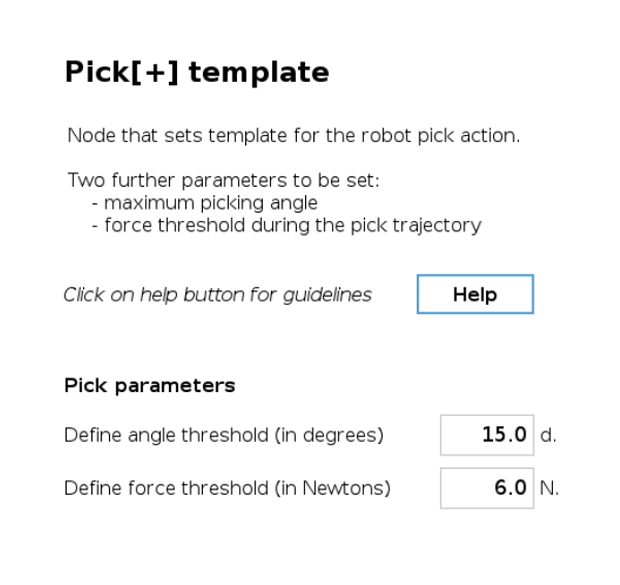
Configuration Parameters
Angle Threshold
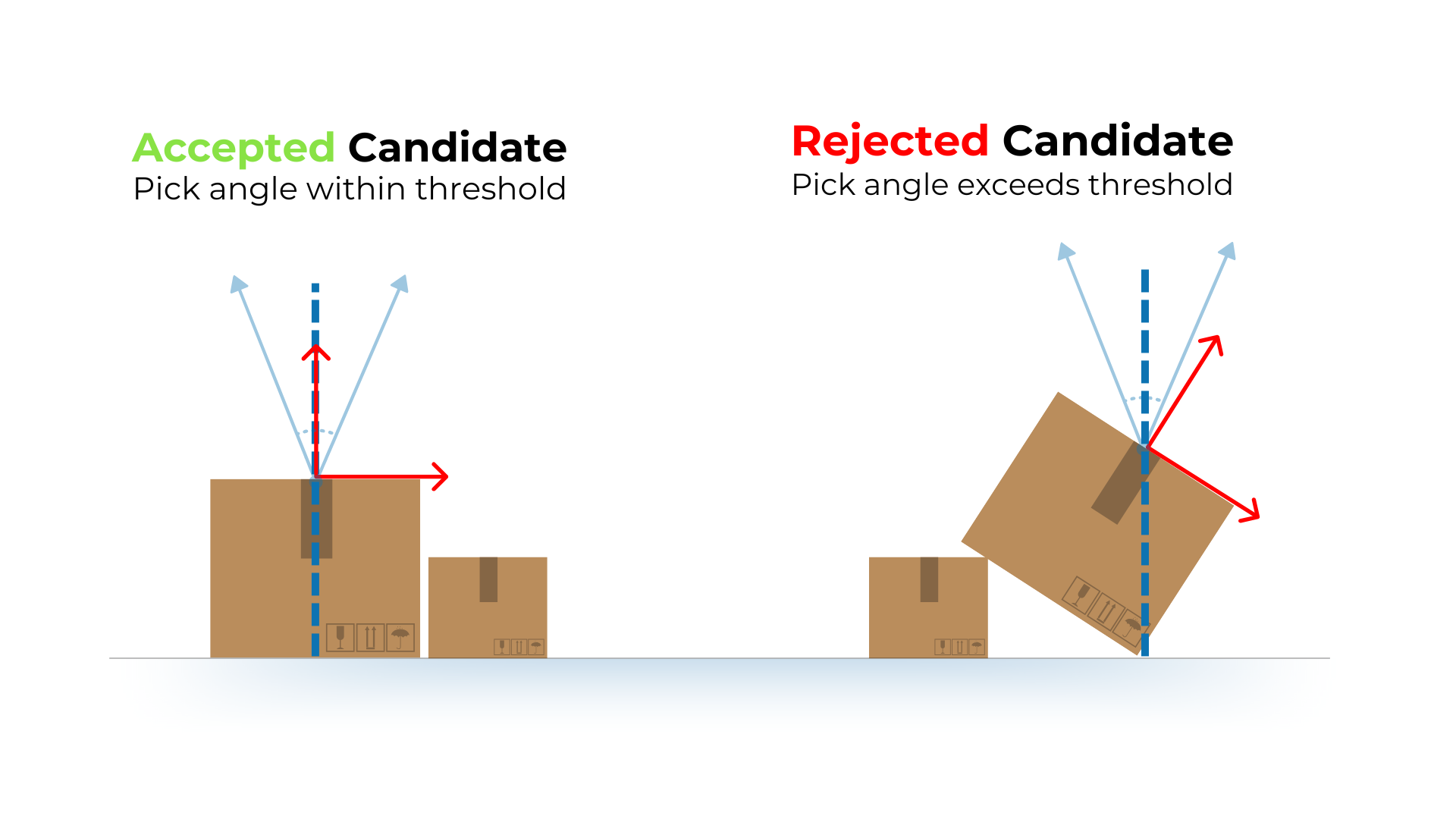
For each pick candidate detected by the robot, the system calculates its angle relative to the working surface. This reference depends on the environment box selected in the Pick[+] trigger node. The measured angle can be monitored using the global variable PP_angle. If a box is tilted, the reference for the pick angle is also tilted, affecting which candidates are accepted or rejected.
- If the pick angle exceeds the defined angle threshold, the candidate will be discarded and the coordinate axes won't appear during execution .
- Users can adjust this angle threshold in the Pick[+] template to allow or restrict tilted picks.
This parameter is used to prevent the robot from reaching the object using extreme positions that could cause problems.
ATTENTION
It is crucial to understand that the angle value set in this node is a threshold for candidate selection rather than a configuration of the pick pose itself. This value is utilized to eliminate unsuitable candidates and does not enforce the pick pose to conform to this angle.
WARNING
The choice ofcamera is critical in determining the expected measured angle. While the expected angle of the pick pose might be 0 degrees, minor discrepancies in camera readings can result in a measured angle that exceeds 0 degrees.
Force Threshold
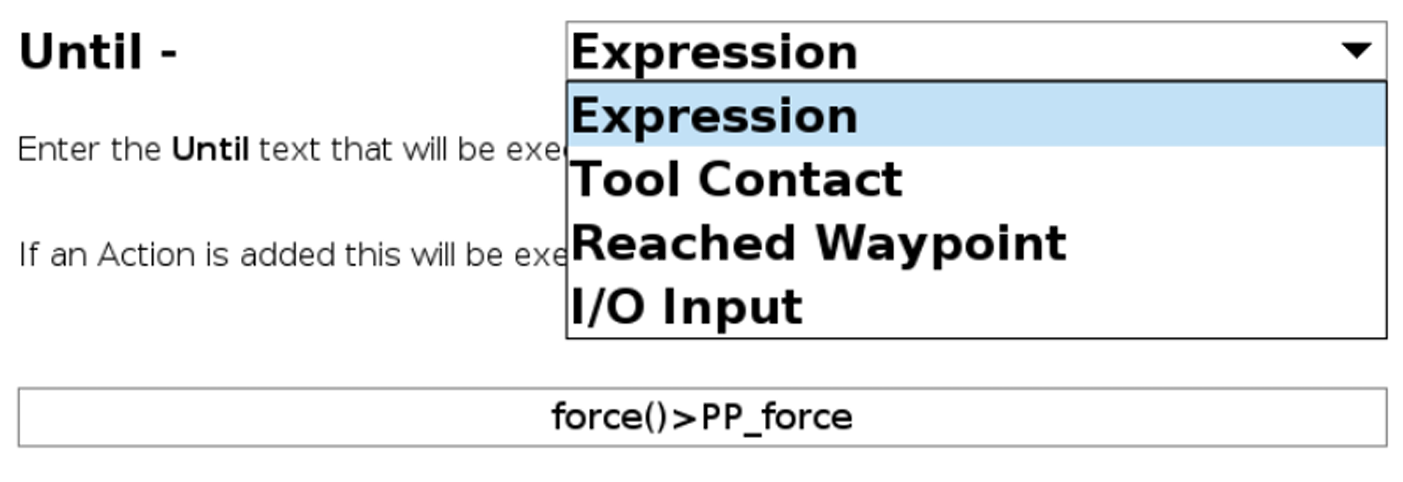
When moving to the different poses in the template, the force at the tool flange will be monitored in the form of an Until condition. This means that the robot will move towards the indicated pose until it reaches it or until the force at the tool flange is greater than the indicated threshold.
Template Structure
When the Pick[+] template node is added to the program, a template of the robot program to perform the pick action is generated. The following figure shows the generated template.
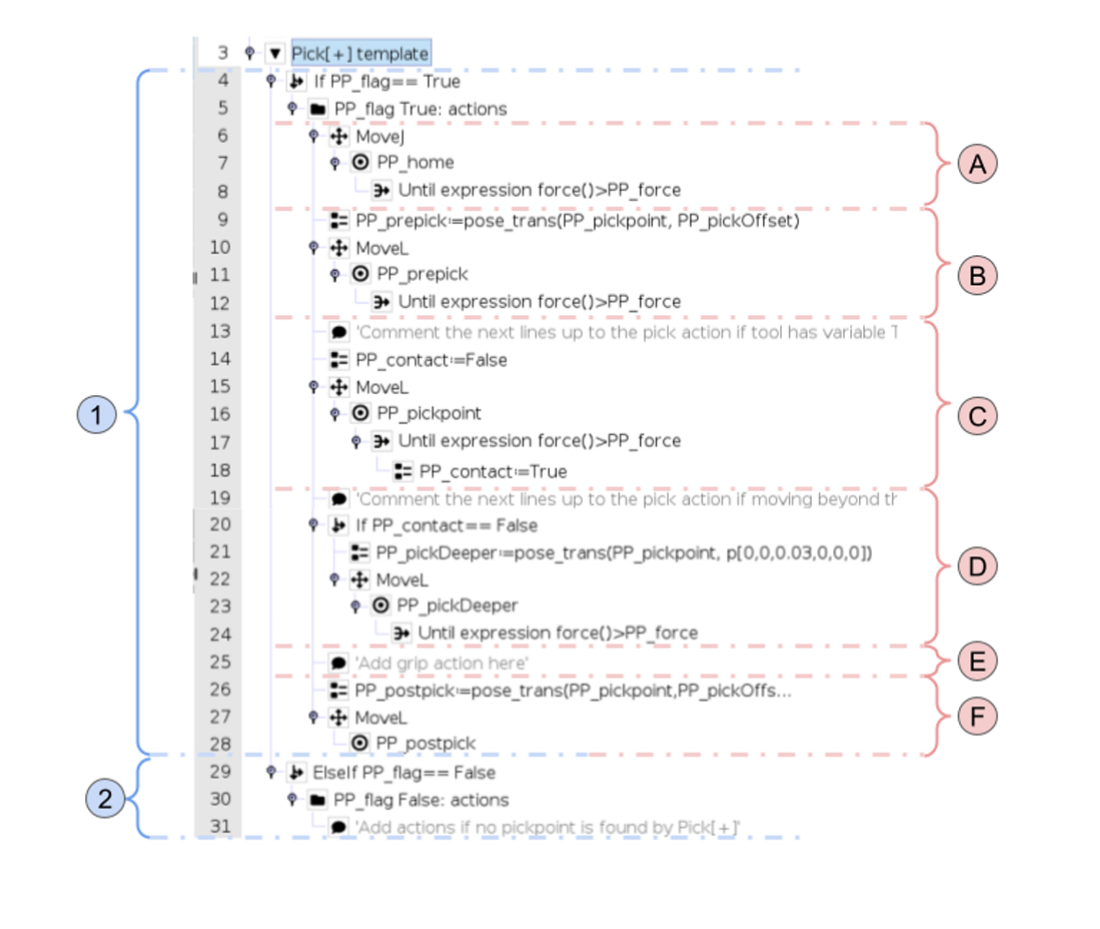
1. Program executed if a candidate has been found
In all movements involving the Until condition with the force threshold (Ⓐ-Ⓓ), it's recommended to use (if possible), the Until contact condition instead.
A. Home Pose Movement
This part of the program moves the robot to the home pose (or approximation pose). This pose is computed based on the configuration set in the Pick[+] Trigger node. By default, the movement is done in the joint space (MoveJ) and with the force Until condition. However, for this movement in particular, this Until condition can be disregarded if the user sees it fit.
B. Pre-pick pose movement
This part of the program moves the robot to the pre-pick pose, computed based on the configuration set in the Pick[+] Trigger node. This pose is only necessary for grippers with variable TCP without self compensation. As explained in the Pick[+] trigger section, these kinds of grippers may require that the tool is activated at a certain distance from the piece. This pose can be used for that purpose.
ATTENTION
Comment out or delete this part of the program if your gripper doesn't match the previous description. Otherwise, this pose will only add cycle time.
C. Pick pose movement
This part of the program moves the robot to the pick pose. This pose is the actual pose estimated by the Pick[+] server. It is recommended to use sensors from the gripper alongside the standard Until condition, which monitors force on the tool flange. For example, if using a vacuum gripper with a sensor (analog or binary) that detects vacuum success, an extra Until condition can be added. This way, the robot will continue moving toward the pick pose until one of the following conditions is met:
- It reaches the pick pose.
- A contact force is detected.
- The vacuum confirms a successful grip.
D. Pick deeper pose movement
If no contact has been detected when moving to the pick pose, this part of the program will move the TCP of the robot a small distance towards the object. This additional movement enables the correction of pick point estimation errors that occur when the pick point is located above the object, either due to a poor camera reading or other reasons.
E. Grip action
If the tool requires to be at the pick point to be activated, the user should actuate the gripper here. However, depending on the tool and application, it may be more effective to activate the tool at a different point in the program. For instance, a vacuum gripper may work better if the vacuum is activated at the home pose rather than upon contact with the part. This also allows for vacuum sensor monitoring, as mentioned in a previous example.
F. Post pick pose movement
Once the robot has picked the object, this section of the program moves the robot to a pose away from the object. By default, this position is the same as the pre-pick pose. The user can choose to use the home pose instead (by changing the waypoint from PP_postpick to PP_home in the program) or to use another position of their choice.
2. Program executed if no candidate has been found
If no suitable candidates have been detected or all have been discarded for other reasons, such as being out of the box or incorrect pick angle, this part of the program will be executed. The user is free to add any additional actions here.
If no pick candidates are found in an iteration, PP_triggers increases by 1. Upon reaching 3, a pop-up stops execution and notifies the user. This variable can be used to adjust the photo pose, enabling up to three different angles, which is useful for bin-picking, as changing the camera angle could detect objects that were previously unidentifiable from the previous pose. If a candidate is detected, PP_triggers will be reset to 0.