System Configuration
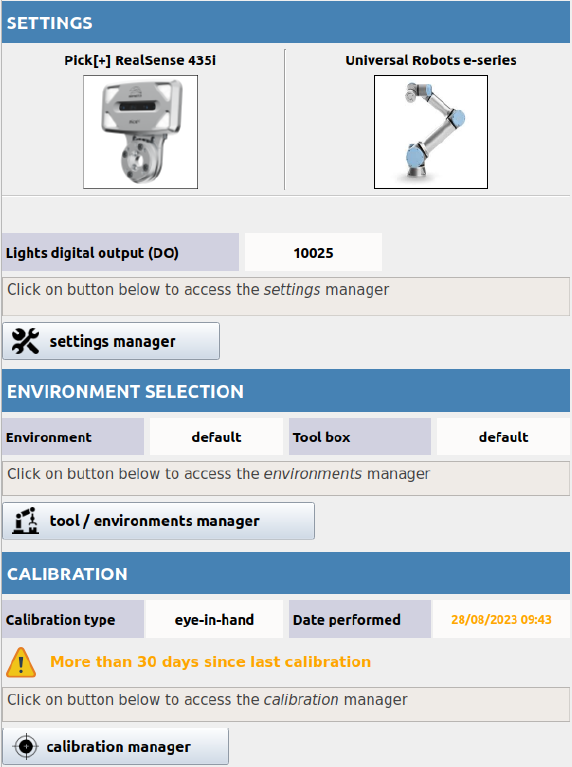
The Configuration block includes all system-wide settings needed to connect and prepare your hardware. It's organized into three key sections:
- Settings: Select and configure the robot and camera, define digital outputs, and set up camera-to-robot communication.
- Environment & Tool: Define and select pick boxes (zones where objects are detected) and robot tools, including the Tool Collision Box.
- Calibration: Calibrate the camera and robot using either eye-in-hand or hand-eye procedures to align their coordinate systems.
These configuration options are not tied to any specific application
Any solution you create (U-Pick or K-Pick) will automatically inherit:
- The selected robot & camera setup
- The active environment and tool
- The current calibration parameters