Pick[+] LED Lights
Functionality
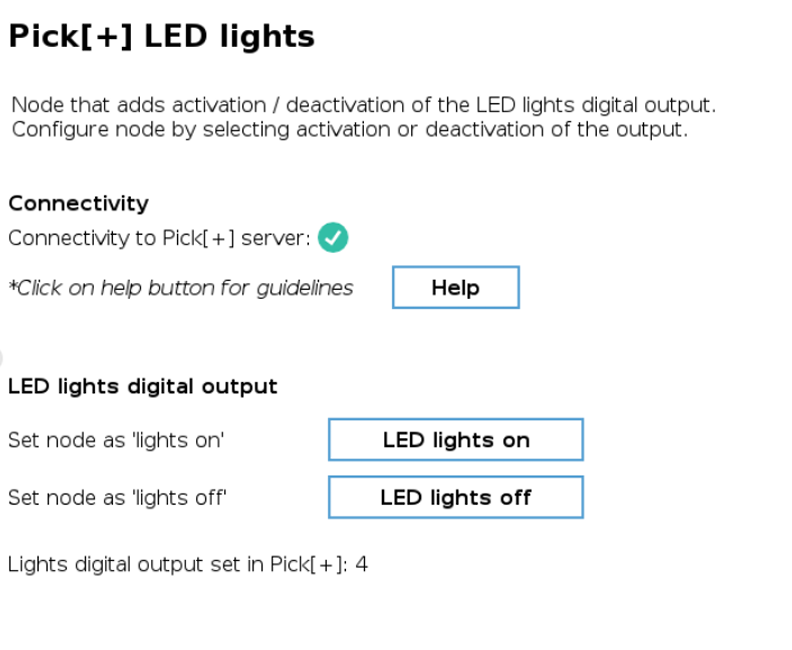
The Pick[+] LED lights node controls the camera illumination by activating or deactivating the corresponding digital output. To ensure proper operation, the corresponding digital port must be configured within the Pick[+] main interface. For detailed setup instructions, refer to the Application Settings section in the Pick[+] User Guide.
Configuration
When adding this node to a program, the user must specify whether the lights should be turned ON or OFF.
WARNING
To retrieve the digital port for the camera lights from the Pick[+] server, an active connection in execution mode is required. The robot must be connected, and a Pick[+] application must be running. If not, the node will display a configuration failure error.
Continuous operation of the lights is not recommended. It is best to activate them only when needed, as keeping them on constantly can lead to excessive heat buildup. This intermittent usage helps improve heat dissipation, particularly in high-temperature environments.
To ensure the Pick[+] server captures images with the lights ON, the lights should remain ON for at least 0.3 seconds after the camera trigger is activated. This 0.3 second delay is a guideline, the actual required duration may vary depending on the camera and equipment used.
Users are advised to start with a higher delay (e.g., 0.5 seconds) and gradually reduce it while ensuring reliable image capture.